
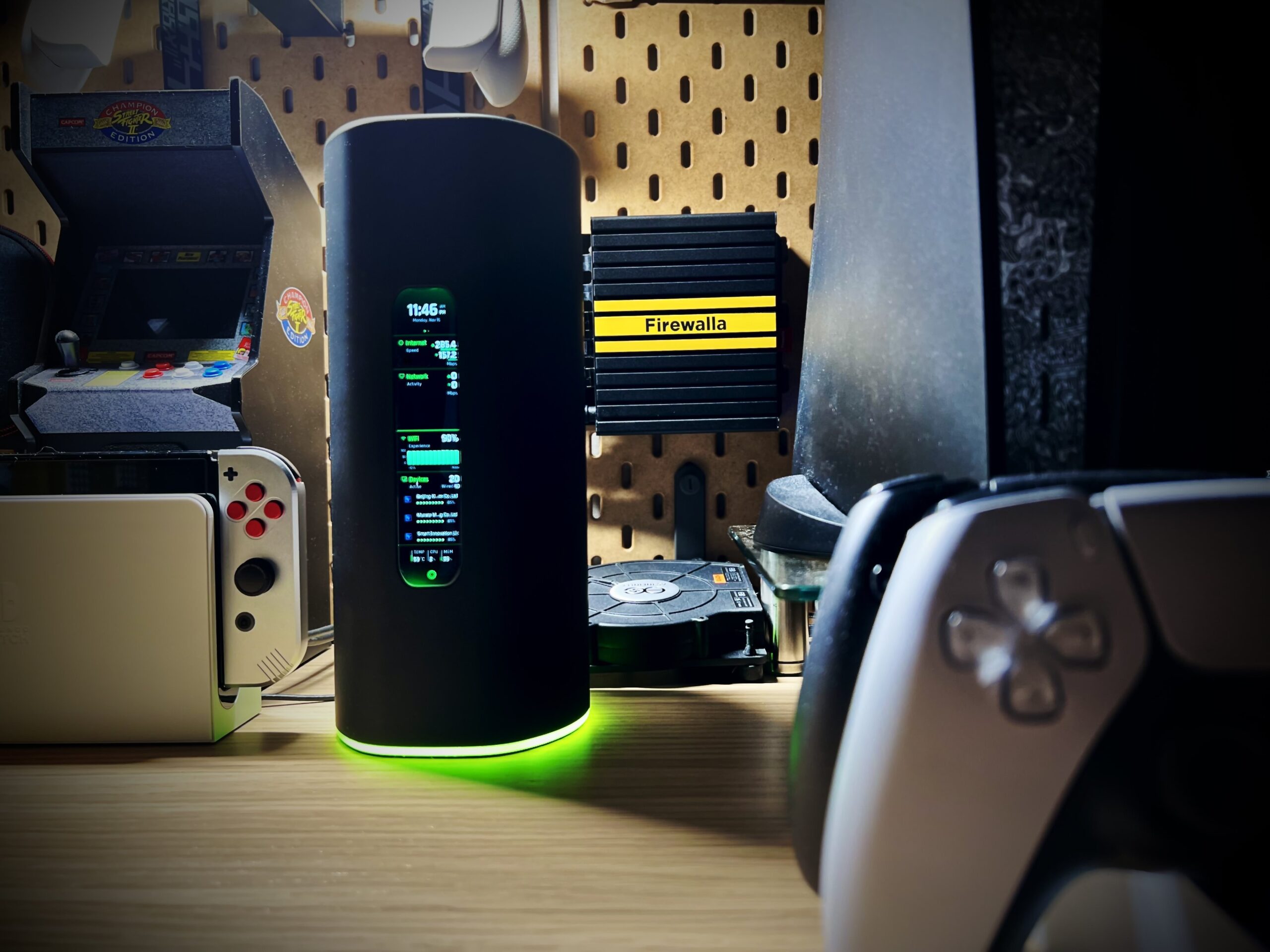
1. Introduction: Why Firewalla Exists
The modern home network is no longer just a laptop and a phone. It is a complex web of devices: IP cameras, smart thermostats, voice assistants, gaming consoles, and work-from-home setups. Each of these devices represents a potential “entry point” for malicious actors.
Most consumer routers provide a “Stateful Packet Inspection” (SPI) firewall, which is essentially a gatekeeper that checks if a connection was requested from the inside. However, they rarely look inside the traffic. If a smart camera starts sending data to a random server in a foreign country, a standard router might not care. Firewalla was designed to bridge the gap between basic consumer hardware and expensive, complex enterprise gear (like Cisco or Palo Alto).
“Security is not a product, but a process. Firewalla aims to make that process invisible yet absolute for the everyday user.”
2. The Core Philosophy of Firewalla
Firewalla’s design philosophy centers on three pillars: Visibility, Control, and Simplicity.
Visibility
You cannot protect what you cannot see. Firewalla provides a real-time “flow” of every single connection leaving or entering your network. It identifies devices by name and icon, showing you exactly how much bandwidth they are using and where that data is going.
Control
Firewalla gives users “granularity.” Instead of just turning the internet off or on, you can block specific apps (like TikTok or YouTube) on specific devices, or block entire categories of traffic (like Gaming or Social Media) during certain hours of the day.
Simplicity
While the backend of Firewalla is a powerful Linux-based engine, the frontend is a sleek, intuitive mobile app. There is no complex web interface required for daily use (though a web interface exists for the professional models), making it accessible to parents and IT professionals alike.
3. Hardware Lineup: Choosing the Right Model
Firewalla offers several models tailored to different internet speeds and network complexities.
| Model | Target User | Max Inspection Speed | Key Features |
| Firewalla Red | Casual users / Beginners | 100 Mbps | Basic security, parental controls, affordable. |
| Firewalla Blue Plus | Power users / Small homes | 500 Mbps | Advanced features, WireGuard VPN support. |
| Firewalla Purple | Travelers / Prosumers | 1 Gbps | Built-in Wi-Fi for tethering, portable, high performance. |
| Firewalla Gold | Enthusiasts / SMBs | 1 Gbps (Deep Packet) | 4 Port Switch, Router mode, VLAN support. |
| Firewalla Gold Plus | High-speed Homes | 2.5 Gbps | 2.5GbE ports, massive throughput for fiber. |
| Firewalla Gold SE | Value-seeking Enthusiasts | 1 Gbps / 2.5 Gbps | Balanced port speeds, sleek fanless design. |
4. Key Features and Functionality
A. Deep Packet Inspection (DPI)
Unlike standard firewalls, Firewalla looks at the “payload” of the data. It uses signatures and behavioral analysis to detect if a device has been compromised by malware or is participating in a DDoS attack.
B. Parental Controls and Family Protect
Firewalla is perhaps best known for its “Family Protect” mode. With one tap, parents can:
- Block adult content across the entire network.
- Set “Social Hour” (blocking social media but allowing homework sites).
- Enforce SafeSearch on Google and Bing.
- Receive notifications when a child is browsing “NSFW” content.
C. Ad Blocking and DNS over HTTPS (DoH)
Firewalla includes a built-in, network-wide ad blocker. Because it operates at the DNS level, it stops ads before they even reach your device, saving bandwidth and increasing privacy. By supporting DNS over HTTPS, Firewalla ensures that your ISP cannot track your browsing history by looking at your DNS queries.
D. VPN Server and Client
Firewalla supports both OpenVPN and WireGuard.
- VPN Server: Allows you to “tunnel” back into your home network while you are at a coffee shop, ensuring your mobile data is encrypted.
- VPN Client: You can tell Firewalla to put specific devices (like a Smart TV) behind a 3rd-party VPN (like NordVPN or Mullvad) to bypass geo-restrictions, while keeping your main PC on the local ISP.
5. Deployment Modes: How It Fits into Your Network
Firewalla is unique because it doesn’t always have to replace your router.
- Simple Mode (ARP Spoofing): You plug Firewalla into a LAN port on your existing router. It “tricks” devices into sending traffic through Firewalla first. It is the easiest to set up but isn’t compatible with all routers.
- DHCP Mode: You disable the DHCP server on your router and let Firewalla handle IP assignments. This is more stable than Simple Mode.
- Router Mode (Recommended): You connect Firewalla directly to your Modem (ISP). Firewalla becomes your primary router, and you use your old router as a “Bridge” or Access Point for Wi-Fi. This provides the best performance and security.
Note on Router Mode: In Router Mode, Firewalla Gold and Purple can manage VLANs (Virtual Local Area Networks). This allows you to isolate “untrusted” IoT devices (like cheap smart bulbs) from your “trusted” devices (like your personal laptop containing banking info).
6. Detailed Analysis of Advanced Security Features
Active Intrusion Prevention (IDS/IPS)
Firewalla uses a cloud-based threat intelligence feed that is updated hourly. If a new “botnet” IP is discovered in Eastern Europe, Firewalla units worldwide are alerted to block incoming traffic from that IP instantly.
Geo-Blocking
One of the most effective ways to secure a network is to block traffic from countries you don’t do business with. If you live in the US and have no reason to communicate with servers in regions known for high hacking activity, you can block those countries entirely with two taps in the Firewalla app.
Behavior Analytics
Firewalla learns your “normal.” If your Amazon Echo suddenly starts uploading 5GB of data to a server in the middle of the night, Firewalla will trigger an “Abnormal Upload” alarm.
7. The Firewalla App Experience
The app is the “brain” of the operation. It is designed to be informative without being overwhelming.
- The Main Dashboard: Shows total bandwidth, active devices, and blocked attacks.
- The Flow List: A scrolling list of every connection. You can tap any flow to see the destination IP, the domain name, and the physical location of the server.
- Alarms: Firewalla sends push notifications for:
- New devices joining the network.
- Devices accessing “Gaming” or “Porn” sites.
- Possible malware activity.
- Large data uploads.
8. Firewalla for the Professional: Network Segmentation
For those with a Firewalla Gold or Purple, network segmentation is a “killer feature.” By using VLANs, you can create separate “virtual” networks.
- Network A (Trusted): Phones, Laptops, NAS.
- Network B (IoT): Cameras, Bulbs, Fridges (No access to Network A).
- Network C (Guest): Visitors (No access to A or B).
This ensures that if a $15 smart plug is hacked, the attacker cannot “pivot” through your network to find your tax returns on your laptop.
9. Comparison: Firewalla vs. The Competition
| Feature | Firewalla | Ubiquiti UniFi | pfSense / OPNsense | Consumer (Asus/Netgear) |
| Ease of Use | Extremely High | Medium | Low (Steep Learning Curve) | High |
| Setup Time | 5-10 Minutes | 30+ Minutes | Hours | 10 Minutes |
| Form Factor | Small / Fanless | Rackmount / Large | Custom / Appliance | Large Antennas |
| Subscription | None | None | None (Mostly) | Often required for Security |
| Mobile App | Primary Interface | Secondary | Third-party / Web only | Basic |

10. Frequently Asked Questions (FAQ)
Q: Does Firewalla charge a monthly fee?
A: No. Once you buy the hardware, all security features and updates are free for the life of the product.
Q: Can I use Firewalla with Starlink?
A: Yes, Firewalla works excellently with Starlink, especially the Purple and Gold models in Router Mode.
Q: How does Firewalla handle privacy?
A: Firewalla does not sell your data. Most of the deep packet inspection happens locally on the box. Only “summarized” data is sent to the cloud to facilitate the mobile app’s remote access.
11. Conclusion: Is Firewalla Worth It?
The “set it and forget it” nature of Firewalla combined with enterprise-grade security makes it a unique offering in the marketplace. While the initial hardware cost is higher than a standard router, the lack of subscription fees and the depth of visibility provided make it a long-term investment in digital safety.
Whether you are a parent trying to protect your children from the darker corners of the web, or a sysadmin wanting to lock down a home lab, Firewalla provides the tools necessary to reclaim control over your network.
“In the modern age, your network is the perimeter of your home. Firewalla is the digital lock that ensures only the right people get in.”